Yapaia Beat Ready
Radio like it used to be. Only smarter.
FM and DAB+ with a small USB stick – no internet needed, with station logos, favourites and automatic station following.
- FM with RDS and DAB+ with slideshow
- Stations follow you across the country
- Playback through Home Assistant or as a stream
- Navigation announcements blend into the programme
Radio that travels with you
Streaming eats your data and drops out in dead zones. Real radio does not. Yapaia Beat receives FM and DAB+ with an inexpensive RTL-SDR USB stick – right on your Home Assistant computer, without any internet.
What Beat can do
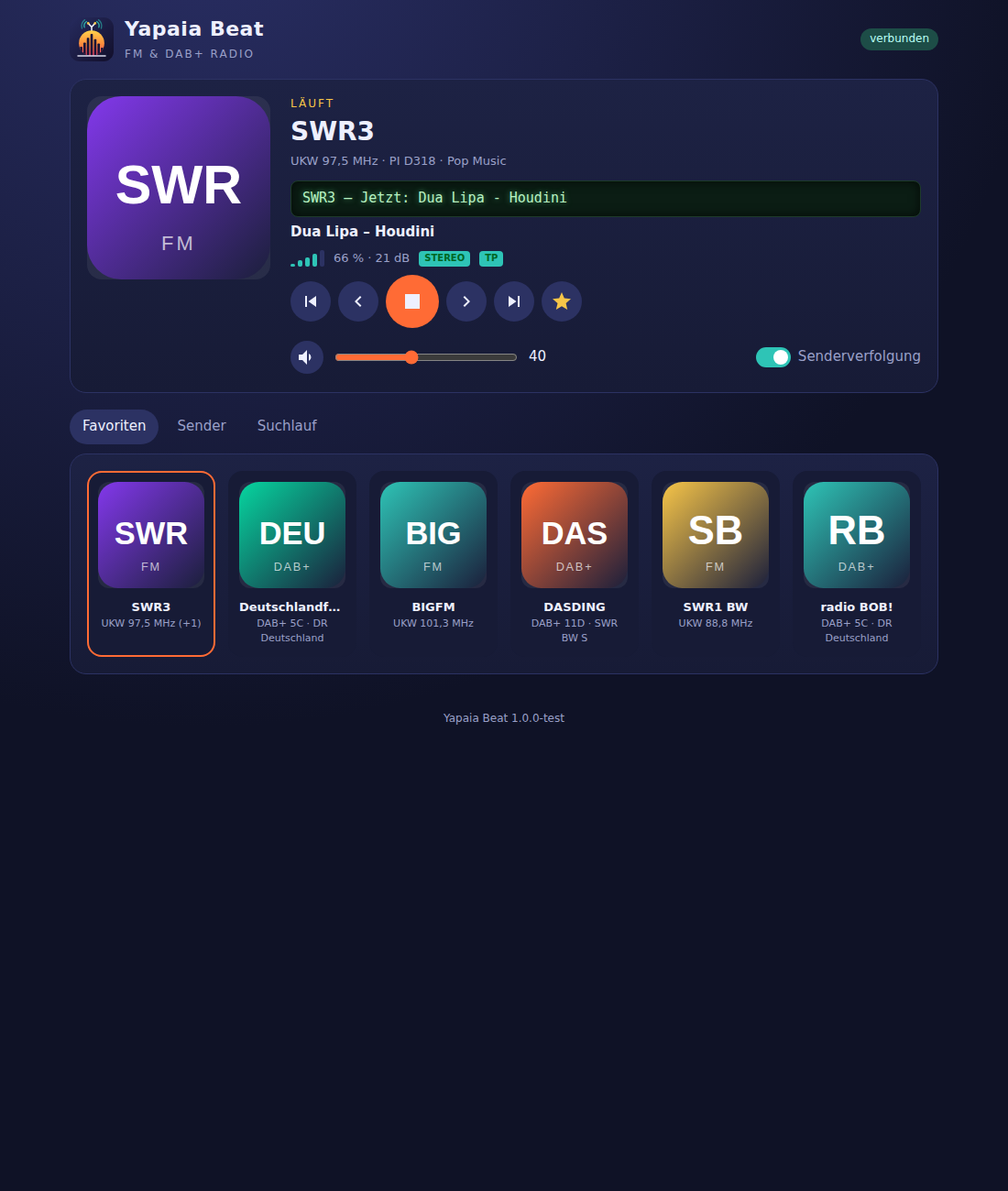
| FM and DAB+ | FM with RDS (station name, radio text, traffic programme flag) and DAB+ with track info and slideshow. |
| Scan and favourites | Let it scan once, tap your favourite stations, find them by name or frequency. |
| Station logos | Fetched automatically and cached, upload your own – or have a nice one generated. |
| Station following | Leaving the coverage area? Beat switches to the next frequency, or from FM to DAB+ and back. |
| Plays where you want | Through Home Assistant’s speakers or as an MP3 stream to any device. |
| Listens to you | With a voice assistant, in German: „Spiel SWR3“ (play SWR3), „Radio leiser“ (quieter), „Was läuft gerade?“ (what’s playing?) – no AI involved, based on your station list. |
| Two sticks | With a second stick, Beat scans in the background, compares the antennas and plays on the stick with the better reception. |
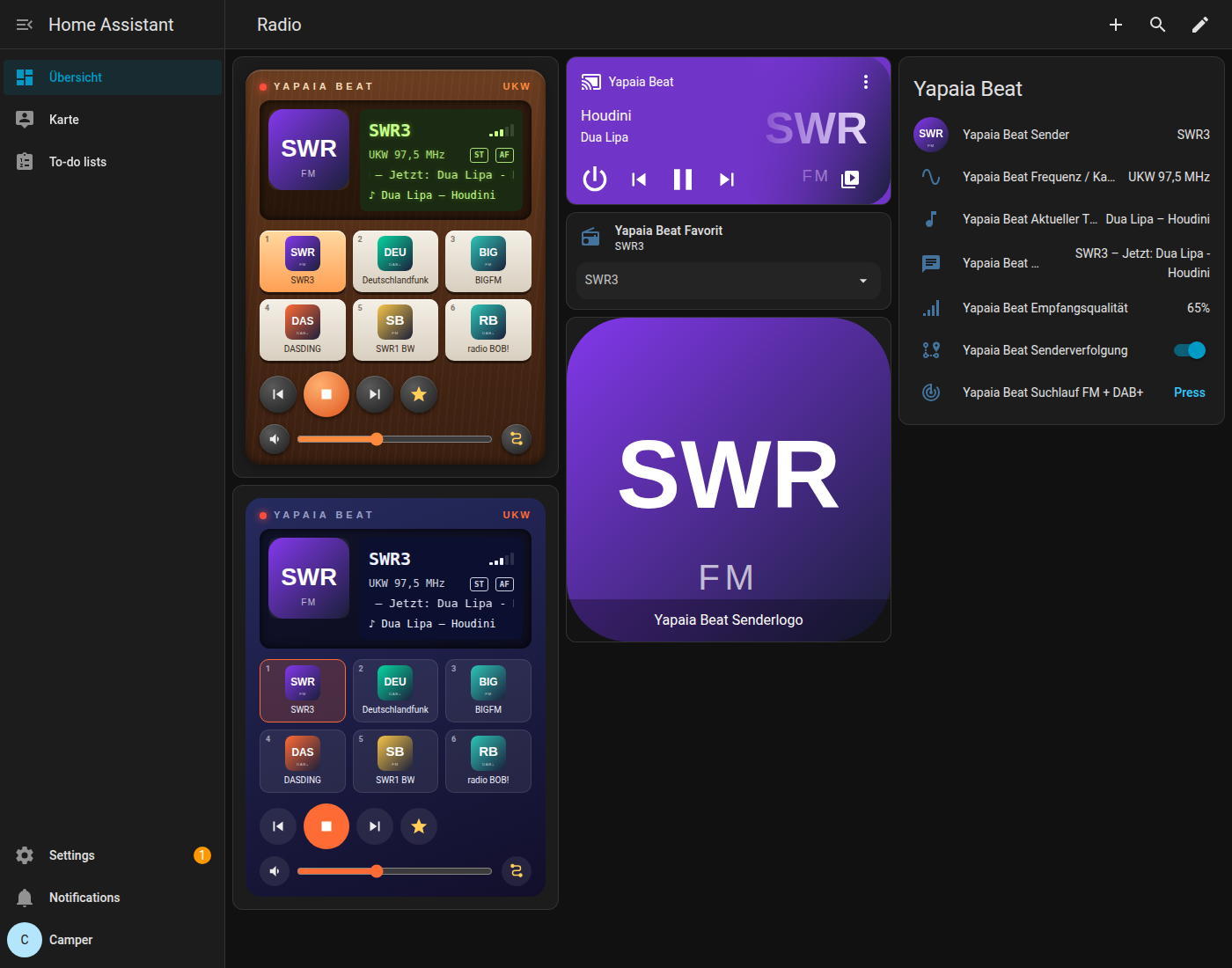
| Two radio cards | For your dashboard: retro with wood or modern and dark. |
Together with Go
If Yapaia Go is installed too, a navigation announcement can blend into the running programme: music goes down, the announcement plays, music comes back. Without Go, Beat works perfectly on its own.