
Manual
Using Yapaia Beat
Scan for stations, save favourites, send the sound where you want to hear it.
Connect
- Plug the RTL-SDR stick into the Home Assistant computer – ideally via a short USB extension cable and not right next to USB 3 ports (they interfere with reception).
- Antenna for FM and DAB+: a telescopic antenna is enough for strong stations; in a camper, an active roof antenna is ideal.
First scan
- Sidebar → Yapaia Beat.
- Scan → FM, DAB+ or both.
- After a few minutes the station list is ready. Use ☆ to make a station a favourite.
Where does the sound come out?
Like “connect to a device”, you choose the output:
- Mini-PC – speakers on the Home Assistant computer
- This device – the tablet or phone you are using right now
- Other speakers – any media player in Home Assistant that can play music from an address
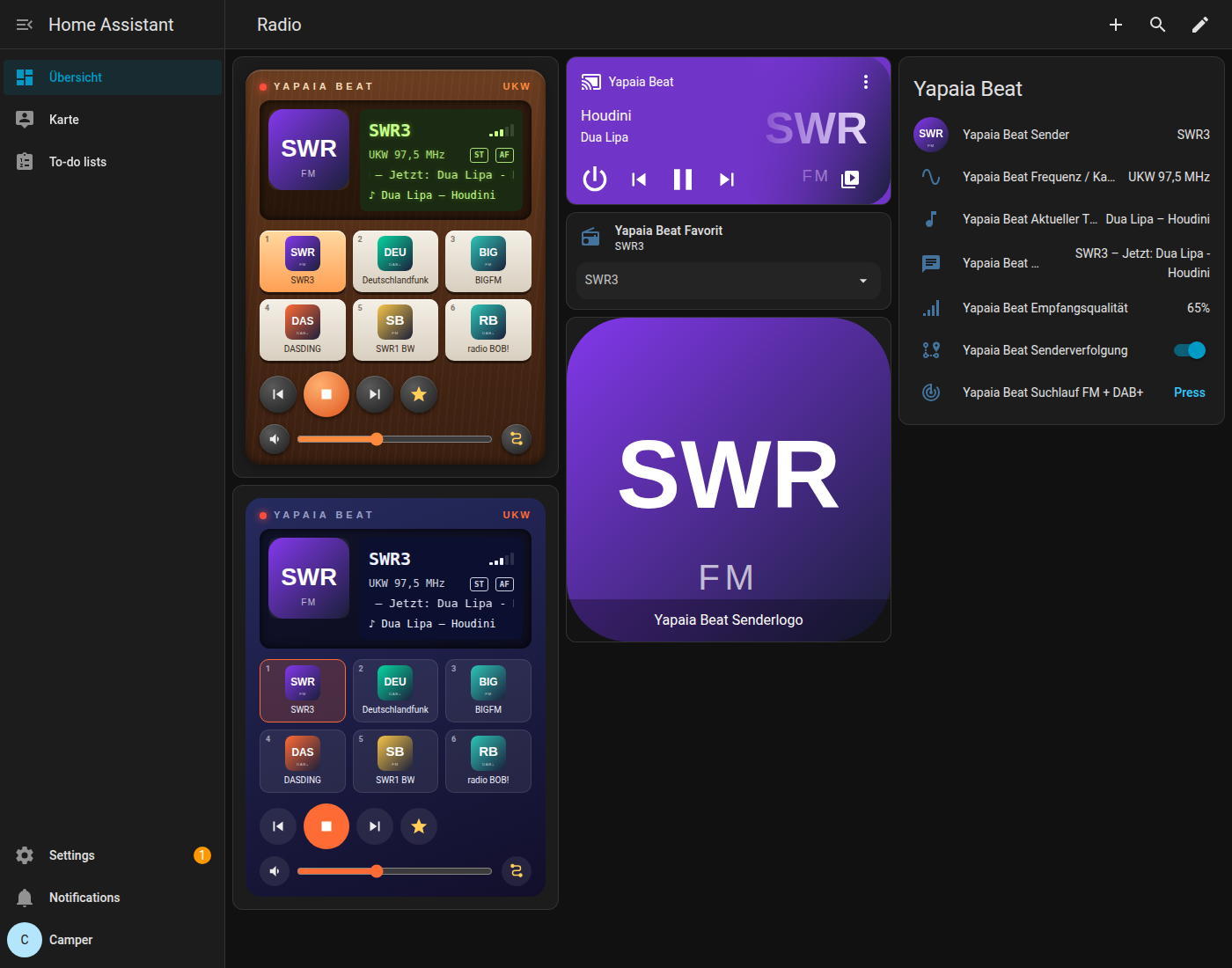
The radio card for your dashboard
In the dashboard: Add card → “Yapaia Beat”. Choose “retro” (wood and LCD) or “modern”.
type: custom:yapaia-beat-card
entity: media_player.yapaia_beat
style: retro
On the road: station following
When reception gets bad, Beat looks for the same station on a better frequency, on another DAB channel, or switches between FM and DAB+. Turn it on and off with the station following switch.
Two sticks
With a second stick, Beat scans in the background while the radio keeps playing – without interruption. You also get:
- Compare antennas (below the scan): briefly measures the current station on the other stick as well and shows which one receives better.
- The Stick switch below the station: Auto moves without a gap to the stick with clearly better reception; Stick 1 or Stick 2 fixes it.
Voice commands
Beat creates the automation “Yapaia Beat Sprachbefehle” (voice commands) in Home Assistant. Through a voice assistant – such as Yapaia Satellite or Assist in the app – the radio then understands German sentences, for example:
- „Spiel SWR3“ (play SWR3), „Radio an“ / „Radio aus“ (radio on / off)
- „Nächster Sender“, „Sender zurück“ (next / previous station)
- „Radio lauter“, „Musik leiser“ (louder / quieter)
- „Was läuft gerade?“ (what’s playing?)
- „Wechsle die Ausgabe auf Wohnzimmer“ (switch the output to the living room speaker)
The station must have been found by a scan. You can switch this off with the add-on option Voice commands.